
Plugin
AskFolio: Grounded AI Q&A Panel
AskFolio is a WordPress plugin for grounded questions and answers: portfolios, practices and evidence-backed knowledge bases. Visitors ask in plain language, and answers are drawn from material you have prepared in your own OpenAI File Search vector store. The panel is designed to say plainly when the evidence does not support an answer.
It is built for professionals and organisations whose sites hold a lot of useful detail: portfolios, practices, projects and bodies of work. It is not a general-purpose chatbot, and it does not upload, index or manage your documents.
01
What it does
Visitors type a question in plain language. The plugin sends it, with a limited amount of earlier conversation, to OpenAI together with a search of the vector store you chose, and shows the answer in the panel on your page.
- A question panel you place with a block or the
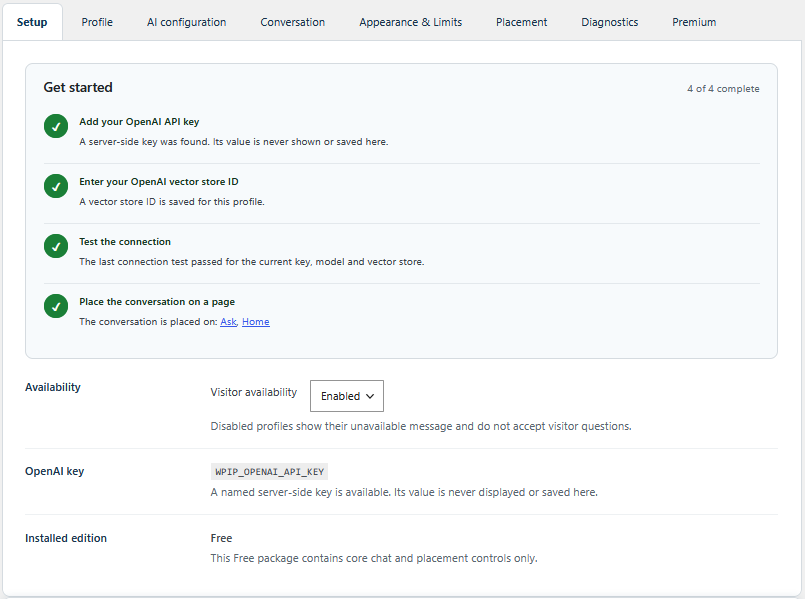
[wp_interactive_portfolio]shortcode - A guided Get started checklist and connection test in the WordPress admin
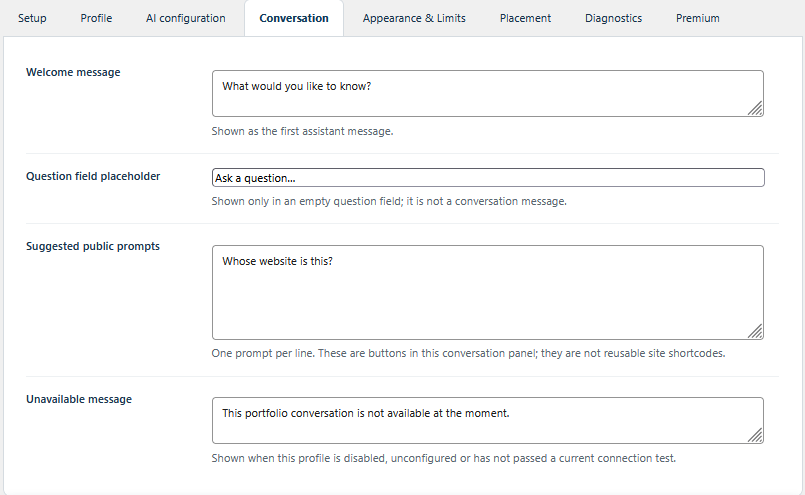
- Wording you control: panel title, welcome message, suggested questions and an unavailable message
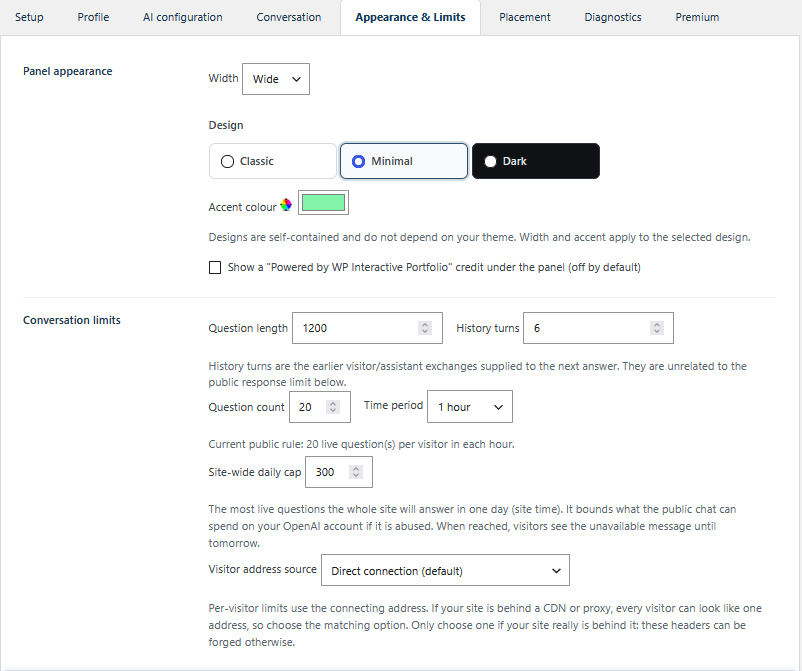
- Three designs that do not depend on your theme, with width and accent colour
- Public limits so one visitor, or one bad day, cannot run up your bill
02
What you provide
- An OpenAI API account and key. The key lives in
wp-config.phpand is never saved in WordPress settings - An OpenAI File Search vector store holding material you have approved for public questions
- A successful connection test, after which the panel goes live
The plugin is not a vector store, document uploader, indexing service or corpus-management tool. You prepare and own the source material. The plugin only presents it.
03
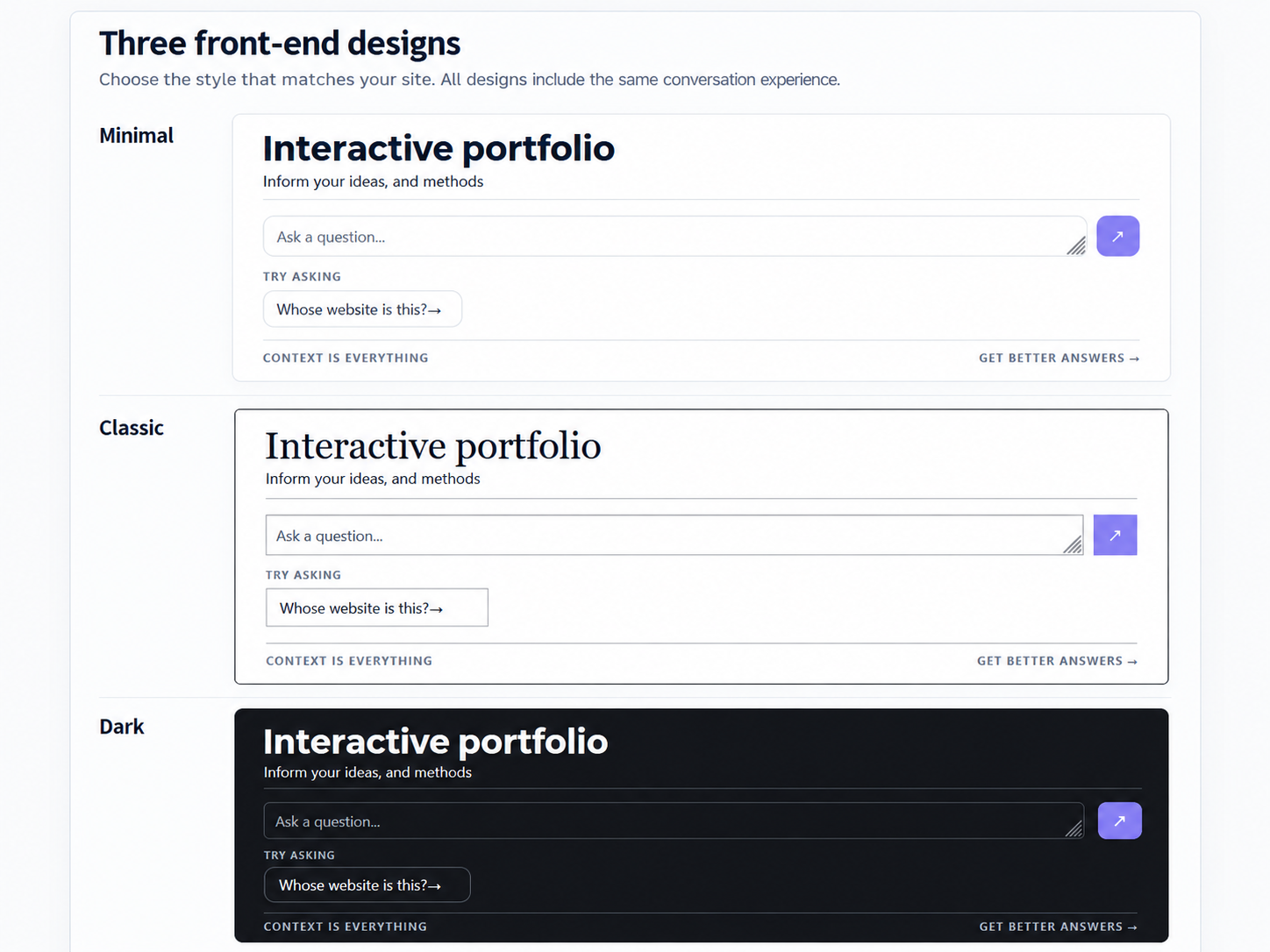
Three designs
Minimal, Classic and Dark are self-contained, so the panel looks the same whichever theme the site uses. Width and accent colour are set per site.
05
Cost, privacy and the OpenAI service
Answers are produced by OpenAI using your account, so usage is billed to you. The plugin limits each visitor, caps the number of questions the whole site will answer in a day, and bounds the length of questions and history. Set a spend limit on your OpenAI project as well.
Only the visitor’s question and a short window of the conversation are sent to OpenAI, from your server. Nothing is sent until the profile is switched on and has passed its connection test. The Free edition keeps no conversation archive, sets no cookies and has no tracking; for the rate limits it holds short-lived counters keyed by a hash of the visitor’s address. You remain responsible for your own privacy notice and for what the vector store contains. See OpenAI’s policies.
06
Set it up
- Install and activate the plugin.
- Create an OpenAI API key and add it to
wp-config.phpwith the line the plugin shows you. - Create a vector store in the OpenAI dashboard and upload the documents answers should draw on.
- Enter the vector store ID in the plugin and run the connection test.
- Choose your wording, design and limits.
- Place the panel on a page.
07
Availability and support
The Free edition is being prepared for the WordPress Plugin Directory and is not listed there yet. Until it is, a pre-release, version 0.9.0, can be downloaded from this page. Once a directory listing exists, updates will arrive through the normal WordPress update screen. Premium is supplied separately, on request.
Download AskFolio Free 0.9.0 (ZIP, 127 KB)
SHA-256: B1311BED77993E358F34CAA8CB3755CDA464EDCF4D883E4C90E4E971D6003863
Before you install it. Version 0.9.0 is a pre-release, provided as is and without warranty of any kind, and it has not been reviewed by WordPress.org. Try it on a test site first and keep a backup. It needs your own OpenAI API key and File Search vector store; OpenAI bills you directly for what it uses and handles the questions it receives under its own terms. AskFolio is released under the GPL-2.0-or-later licence, and support is on a best-effort basis.
Questions about the plugin, setup or Premium are welcome: get in touch with Niche Clever.